 Clipumo
Burn in subtitles
Add subtitles to a video, burned in
Burned-in captions are part of the picture, so they show everywhere: in muted autoplay feeds, on every app, with no settings for the viewer to turn on. Clipumo burns SRT or VTT subtitles, or captions you type, into your exported MP4.
Your video and subtitle file are both processed on your device. Nothing is uploaded.
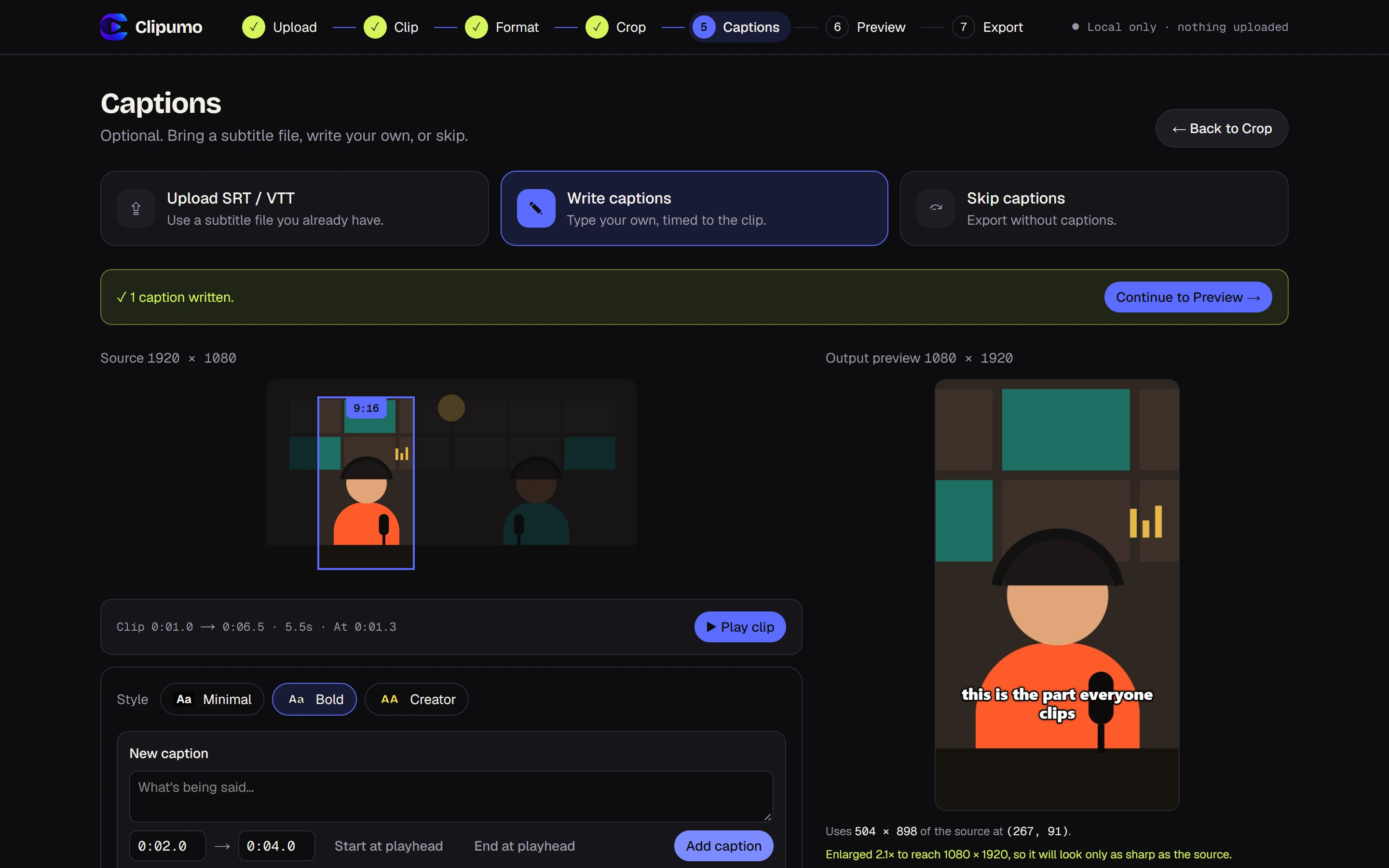
Three ways to handle captions
- Upload an .srt or .vtt file, for example the transcript from your recording or transcription tool.
- Write captions by hand: type the text, set start and end times (or use the playhead), and add as many as you need.
- Skip captions entirely. It's a normal option, not an error.
How subtitle timing works
Subtitle timestamps are read as positions in the full video. When you export only part of it, Clipumo shows just the captions inside your clip and shifts their timing to start from zero. Captions that cross the start or end of your clip are trimmed to fit.
Change the clip later and the captions follow automatically, with nothing to re-sync.
Caption styles
- Minimal: clean white text on a soft dark box.
- Bold: heavy white text with a black outline, readable on any footage.
- Creator: big uppercase yellow text in the middle of the frame, the classic short-form look.
Tips for readable captions
- Keep each caption to one or two short lines.
- Split long sentences into several captions rather than one wall of text.
- On vertical video, Clipumo keeps captions above the bottom of the frame, where apps place their own buttons and text.
Questions
Which subtitle files work?
SRT and WebVTT (.srt, .vtt) up to 5 MB. UTF-8 and UTF-16 are read directly; older files in Windows-1252 are converted automatically. Broken timestamps are reported with the line number so you can fix them.
Can I edit imported subtitles?
Imported captions are shown as they are in the file. To change them, edit the file in any text editor and import it again, or switch to writing captions by hand.
Does Clipumo create subtitles automatically?
No. There's no automatic transcription. Import a subtitle file you already have, or type captions yourself.