 Clipumo
Guide
How to turn a podcast episode into YouTube Shorts
Clipping your podcast is one of the cheapest ways to reach new listeners: every Short is a trailer for the full episode. Here's a repeatable workflow that takes a few minutes per clip, using Clipumo in your browser.
1. Pick the moments before you edit
While you listen back, note timestamps for anything that works on its own: a strong opinion, a story with a payoff, a surprising number, a practical tip. If you have a transcript, search it for phrases like “the biggest mistake” or “here's the thing”; they often mark self-contained moments.
2. Get your transcript as SRT or VTT
Many recording, editing and transcription tools can export captions as an .srt or .vtt file. Export it for the whole episode; you don't need a separate file per clip.
3. Open the episode and trim tightly
Open the episode in Clipumo's editor. Set the in-point exactly where the key line starts, not on the lead-in, and the out-point right after the payoff. Use “Play clip” to check it plays well on its own.
4. Frame the speaker in 9:16
Choose 9:16, then drag the frame onto whoever delivers the line. Zoom in so their face fills the frame. For a back-and-forth where both reactions matter, 1:1 keeps two people in shot.
5. Add the captions
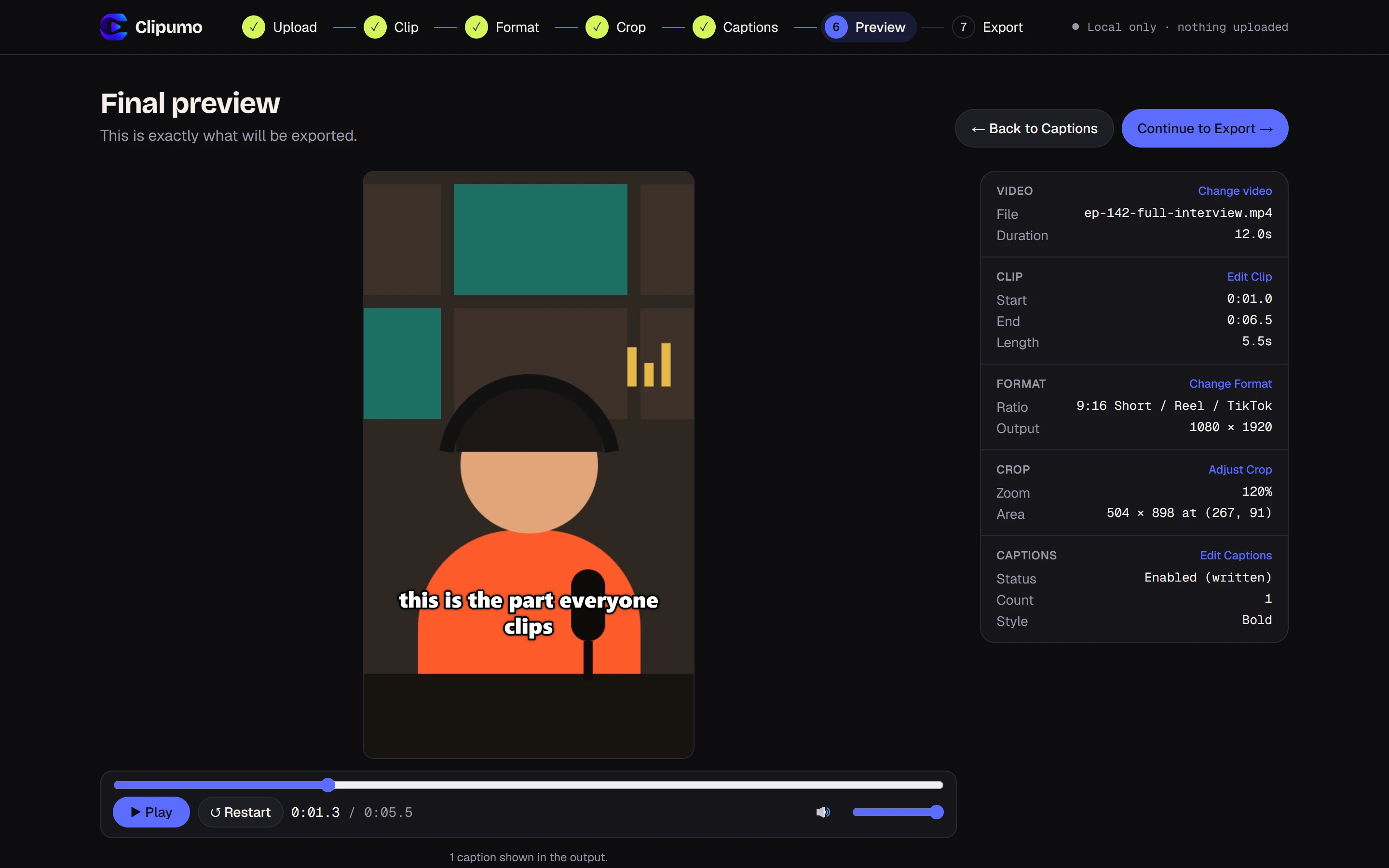
Import the episode's SRT or VTT file. Clipumo reads the timestamps as positions in the full episode and keeps only the captions inside your clip, re-timed to start at zero. Pick the Bold or Creator style for high contrast on phones.
6. Preview, export and post
Watch the final preview once from start to finish, then export the MP4. Give the Short a title that states the payoff, and check YouTube's current Shorts length limit. Go back to the Clip step for the next moment; your format, crop and captions carry over.
Common mistakes
- Starting too early: the first seconds decide whether people keep watching.
- A tiny speaker in a tall frame: zoom in.
- No captions: many viewers watch muted.
- Clipping moments that need the context of the whole episode.
Questions
How many Shorts should I make per episode?
Start with three to five of the strongest moments, then see which kinds of clips get watched in your YouTube analytics.
My transcript's captions don't appear in the clip. Why?
Clipumo treats subtitle timestamps as positions in the full episode. If your file was made for a different cut of the episode, the times won't line up. Export the transcript from the same file you're clipping.