 Clipumo
SRT to video
Burn an SRT file into your video
An .srt file holds subtitles as text with timestamps. To make them part of the video itself (“burned in”), so they show everywhere including muted autoplay feeds, they need to be drawn onto every frame. Clipumo does that in your browser and exports an MP4.
Your video and SRT file stay on your device.
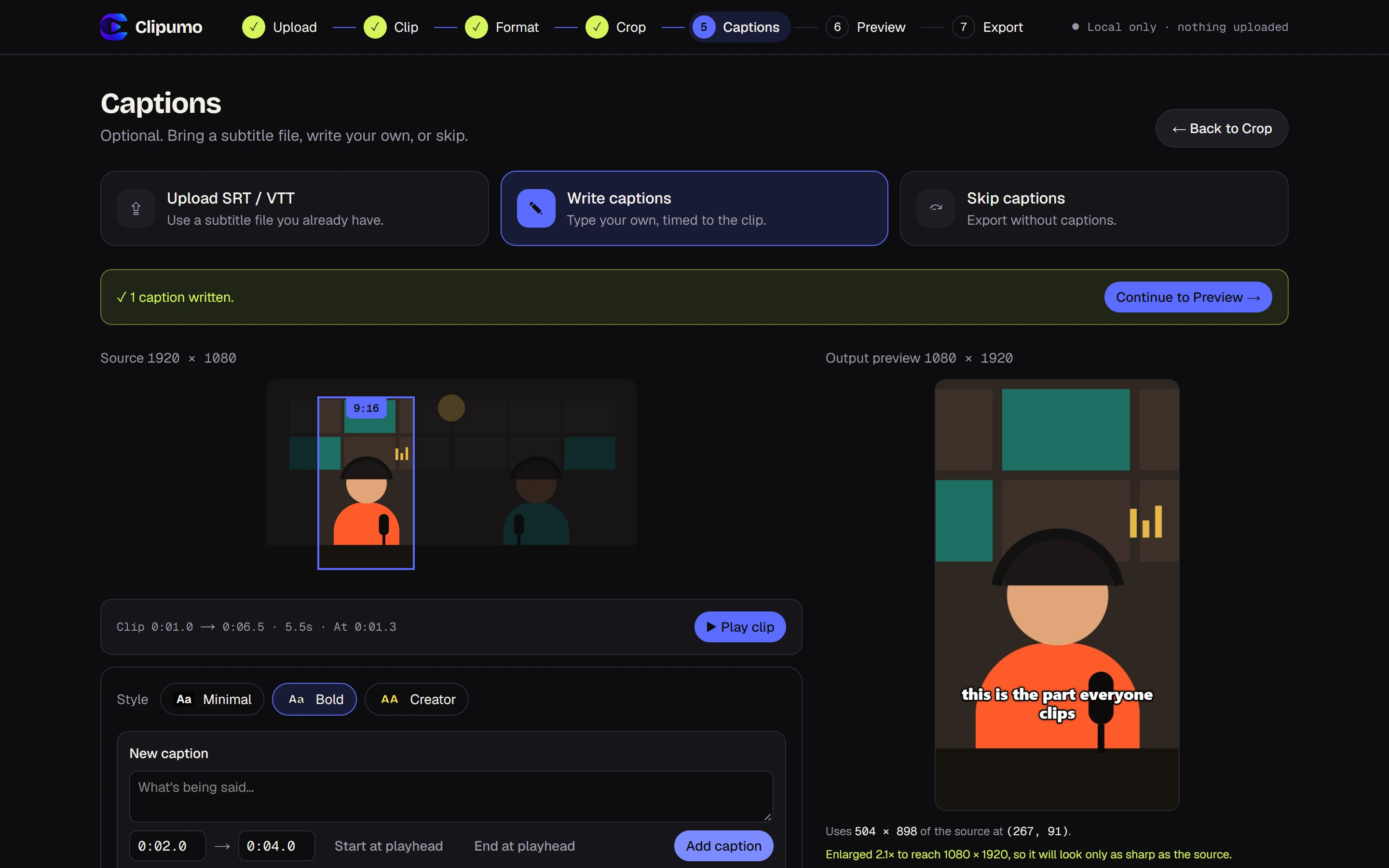
Burned-in vs. soft subtitles
Soft subtitles are a separate track that viewers switch on or off; they're good for long videos on platforms that support them. Burned-in subtitles are part of the image: they can't be turned off, but they always show. That's why short-form videos use them.
Burn an SRT file into a video
- 1Open your video in the editor and select the part you want (or keep the whole video).
- 2Choose a format and position the frame.
- 3In the Captions step, choose “Upload SRT / VTT” and pick your file.
- 4Choose a style (Minimal, Bold or Creator) and check the live preview.
- 5Preview the clip, then export the MP4 with the subtitles burned in.
Timing is matched to your clip
SRT timestamps are read as positions in the full video. If you export only part of it, Clipumo keeps just the subtitles inside your clip and shifts them to start at zero. Subtitles that cross the start or end of the clip are trimmed to fit, and changing the clip later re-times them automatically.
What a valid SRT file looks like
Each subtitle has a number, a timing line and the text, with a blank line between subtitles:
1
00:00:01,000 --> 00:00:03,500
This is the first subtitle

2
00:00:04,000 --> 00:00:06,000
And a second one,
split over two lines
Fixing common SRT problems
- “Invalid timestamp”: minutes and seconds must be below 60, e.g. 00:01:59,500. Clipumo tells you the line number.
- “End time is before start time”: the two times on that line are swapped.
- No subtitles inside the clip: the file's times must match the video you opened, not a different edit.
- Strange characters: save the file as UTF-8. Older Windows-1252 files are converted automatically, with a warning.
Questions
Does it work with VTT files too?
Yes. WebVTT (.vtt) files work the same way as .srt, including cue settings and simple formatting tags, which are removed.
How big can the SRT file be?
Up to 5 MB, which is far more than any normal subtitle file.
I don't have an SRT file. What can I do?
You can type captions directly in the editor instead. See how to add captions to a video.