 Clipumo
Online video clipper
Cut clips from long videos, in your browser
Finding the 30 seconds that matter in a two-hour recording shouldn't need a full video editor. Clipumo opens your video, lets you mark exactly where the clip starts and ends, and exports just that part as an MP4.
Most online cutters make you upload the whole file first. Clipumo doesn't: your browser reads the video straight from your disk, so even big files open in moments and nothing leaves your computer.
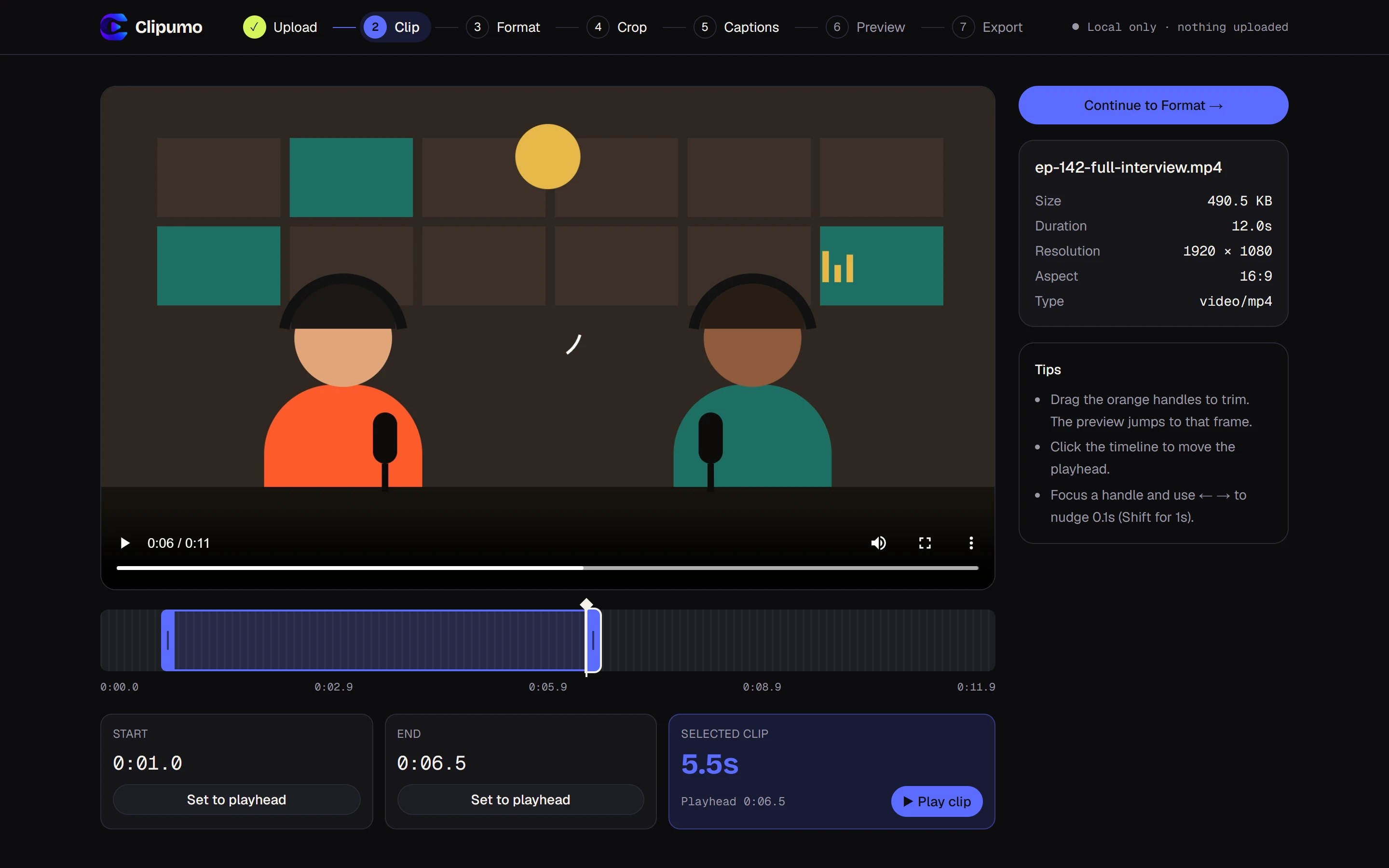
How to clip a video
- 1Open the video in the editor: drag it in or choose it from your computer.
- 2Drag the orange in and out handles on the timeline. The preview jumps to the exact frame you're cutting on.
- 3Or play the video and press “Set to playhead” at the start and end of the moment.
- 4Fine-tune with the keyboard: arrow keys move a handle 0.1 seconds, Shift + arrow moves it 1 second.
- 5Press “Play clip” to watch only your selection.
- 6Choose an output shape. For a landscape video, 16:9 keeps the whole frame; 9:16 and 1:1 crop it.
- 7Skip or add captions, preview, and export the MP4.
Why clipping in the browser is faster
- No upload wait: a multi-gigabyte recording opens straight away.
- Private by default: unreleased episodes, client work and personal footage stay on your machine.
- Nothing to clean up: no account, no stored projects, no files on someone else's server.
What you get
An MP4 (H.264 video, AAC audio) containing only the part you selected, at full HD in the shape you chose, with no watermark. Make another clip from the same video by going back to the Clip step; your format and crop settings stay in place.
Questions
Is my video uploaded?
No. The page loads the editor, then your browser reads the video directly from your disk. There's no upload step and no server that receives your video.
How precise is the trimming?
The timeline shows tenths of a second, and the keyboard moves a handle in 0.1-second steps. The preview shows the exact frame at each handle, so you can cut right on a word or action.
What's the largest file I can clip?
Files up to 1.5 GB in MP4, MOV, M4V, WebM, MKV or OGV, as long as your browser can play them.
Which browser should I use?
Editing works in modern browsers. Exporting needs a recent Chrome or Edge on a computer.