 Clipumo
Podcast clip maker
Turn podcast episodes into short clips
A one-hour video episode can hold a dozen clips worth posting. Clipumo handles long episodes (files up to 1.5 GB) and lets you cut, frame and caption each moment in a couple of minutes.
Already have a transcript? Import it as an SRT or VTT file with the episode's own timestamps. Clipumo matches the captions to whichever part you clip.
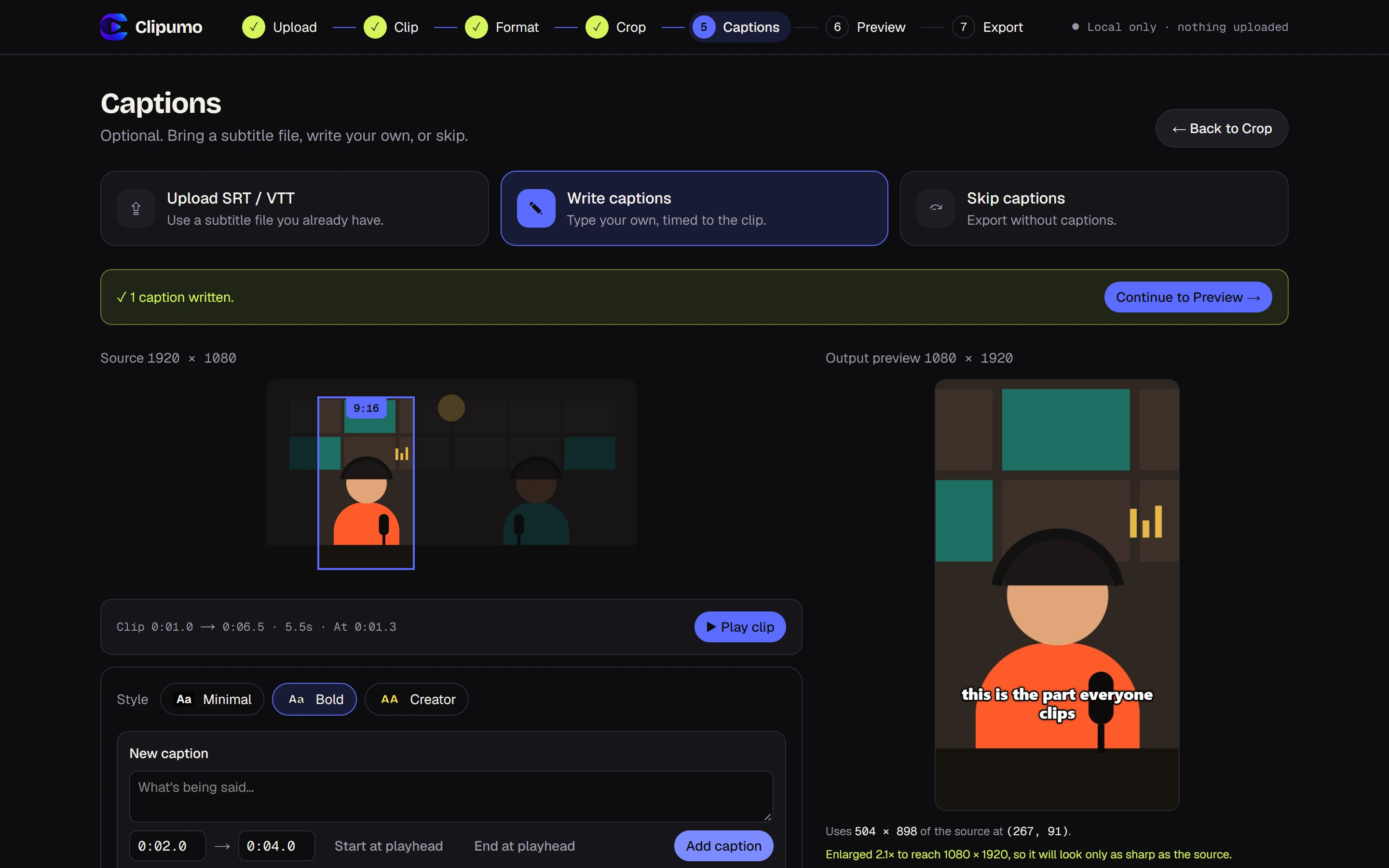
Clip an episode in minutes
- 1Open the full episode. Long files are fine; nothing is uploaded, so there's no waiting.
- 2Trim to the moment. Use the timeline handles, or play and press “Set to playhead” at the start and end.
- 3Choose 9:16 for Shorts, Reels and TikTok, or 1:1 for feed posts.
- 4Frame the person speaking and zoom in so they fill the frame.
- 5Import your episode's SRT or VTT transcript. Timestamps are read as positions in the full episode and re-timed to your clip automatically.
- 6Preview, then export the MP4. Go back to the Clip step to make the next one; your settings stay.
Finding clip-worthy moments
- Strong opinions and hot takes
- Stories with a clear payoff
- Surprising numbers or facts
- A practical tip someone can use today
- Friendly disagreement between hosts or guests
Framing two-person conversations
For vertical clips, frame one speaker at a time, usually whoever delivers the key line. When a back-and-forth is the point, choose 1:1 or 16:9 so both people stay in shot.
Questions
Can I use my episode transcript?
Yes. Import an .srt or .vtt file with timestamps from the full episode. Clipumo shows only the captions inside your clip and shifts their timing to match.
How long can the episode be?
Any length, as long as the file is 1.5 GB or smaller and your browser can play it. Exported clips can be up to about 17 minutes.
Does it work with audio-only podcasts?
No. Clipumo needs a video track to frame. For audio-only shows, record or render a video version first.
Does Clipumo transcribe the audio?
No. There's no automatic transcription. Use the SRT or VTT file from your recording or transcription tool, or type captions yourself.