 Clipumo
Instagram Reels maker
Turn long videos into Instagram Reels
Recorded a webinar, a podcast or a long vlog? The best 20 seconds can become a Reel. Clipumo trims the moment, reframes it for vertical and exports a clean MP4 you can post straight from your phone or computer.
Nothing is uploaded to us. The editing and the export both happen on your device.
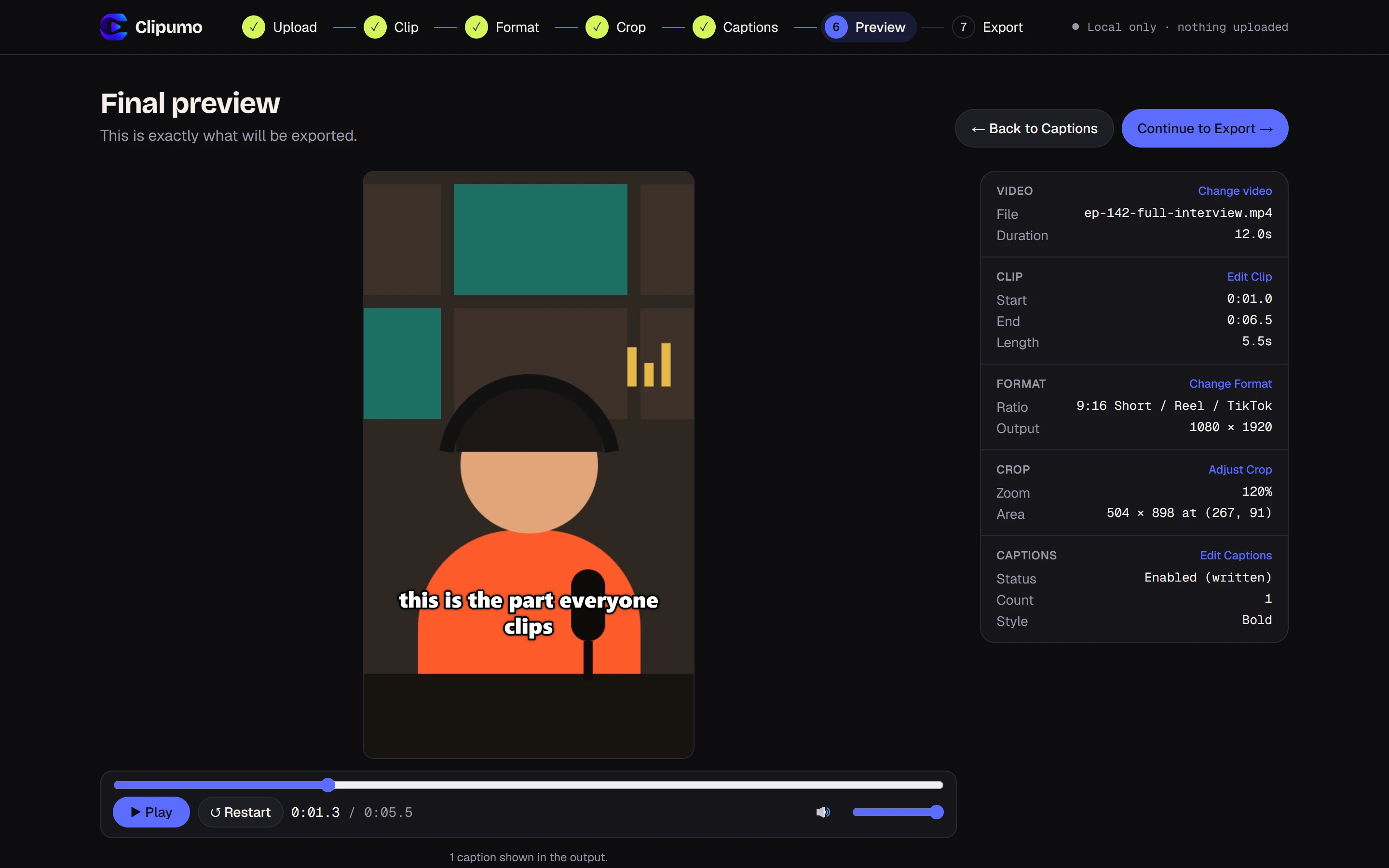
From long video to Reel in six steps
- 1Open your video. Drag it onto the editor or choose it from your computer. It's read straight from your disk.
- 2Pick the moment. Drag the in and out handles on the timeline, or play the video and press “Set to playhead”.
- 3Choose 9:16. The output is 1080 × 1920, the standard vertical HD size.
- 4Frame the subject. Drag the vertical frame onto the person or action, and zoom in if they're small in the shot.
- 5Add captions, or skip. Import an SRT/VTT file, type them yourself, or leave them off.
- 6Preview and export. Watch the exact result, then download the MP4.
Framing tips for Reels
- Keep faces and text out of the bottom of the frame. Instagram puts your username, caption and buttons there.
- Clipumo already keeps captions above the bottom fifth of vertical videos for that reason.
- Center your subject and zoom in on talking heads. A small face in a tall frame loses viewers.
- Trim tightly. Reels reward getting to the point in the first second or two.
Reel or square post?
Use 9:16 (1080 × 1920) for Reels and Stories. If you'd rather post to the grid as a regular feed video, choose 1:1 (1080 × 1080) in the Format step. You can switch formats at any time; your trim and captions stay the same.
Questions
What size is an Instagram Reel?
Reels are vertical 9:16. Clipumo exports 1080 × 1920 when you choose 9:16.
Can I make a square video instead?
Yes. Choose 1:1 in the Format step to export a 1080 × 1080 MP4, then drag the frame to choose what's in shot.
Will Instagram reduce the quality?
Instagram re-encodes every upload, so start from a clean full-HD file. That's what Clipumo exports.
Is there a watermark?
No. Your exported Reel has no watermark or branding.