 Clipumo
TikTok video cropper
Crop any video to TikTok's vertical format
Posting a horizontal video to TikTok leaves it tiny, with big empty bars above and below. Cropping to vertical fills the screen and keeps attention on what matters. Clipumo lets you choose exactly which part of the frame to keep.
It's free, runs in your browser, and your video never leaves your computer.
Why crop instead of adding bars
A 16:9 video shown on a 9:16 screen uses only about a third of the screen's height. Cropping to 9:16 fills the full screen, making faces bigger and text easier to read. It's what viewers expect in a vertical feed.
Crop a video for TikTok
- 1Open your video. Drag it onto the editor or choose it from your computer. It's read straight from your disk.
- 2Pick the moment. Drag the in and out handles on the timeline, or play the video and press “Set to playhead”.
- 3Choose 9:16. The output is 1080 × 1920, the standard vertical HD size.
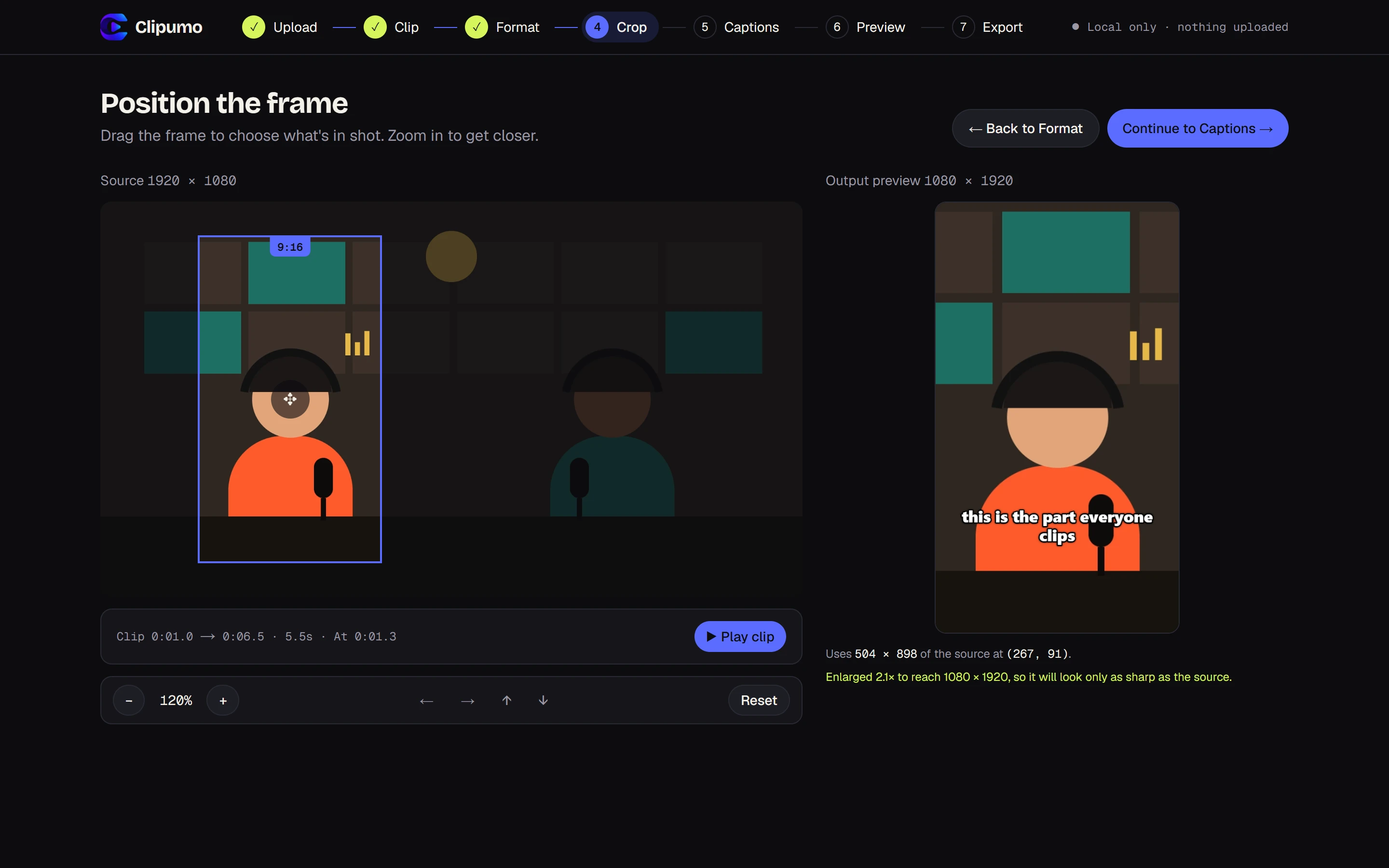
- 4Frame the subject. Drag the vertical frame onto the person or action, and zoom in if they're small in the shot.
- 5Add captions, or skip. Import an SRT/VTT file, type them yourself, or leave them off.
- 6Preview and export. Watch the exact result, then download the MP4.
Getting the crop right
- Drag the frame onto the subject and zoom in (up to 400% on large videos) for a closer shot.
- The output preview beside the video updates live, so you see exactly what TikTok viewers will see.
- Clipumo uses one crop position for the whole clip. If your subject moves across the frame, export shorter clips with a different framing for each.
- If the crop is enlarged a lot, Clipumo tells you. Higher-resolution sources give sharper results.
Questions
Does cropping lower the quality?
Cropping keeps only part of the frame, so that part is enlarged to 1080 × 1920. From a 1080p source the result is softer than the original; from a 4K source it stays sharp. Clipumo shows how much the crop is enlarged.
Can I zoom in?
Yes. Zoom up to 400% on large videos (less on small ones), then drag to position the frame.
What if my video is already vertical?
Then it fills the frame as-is. Just trim it and export.