 Clipumo
YouTube Shorts maker
Make YouTube Shorts from your long videos
Your next Short is probably already inside a long video: a sharp answer in an interview, a funny moment in a stream, the key point of a tutorial. Clipumo lets you cut that moment out, reframe it vertically and export a Shorts-ready MP4 without installing anything.
Everything runs in your browser. Your video is read from your own disk and is never uploaded.
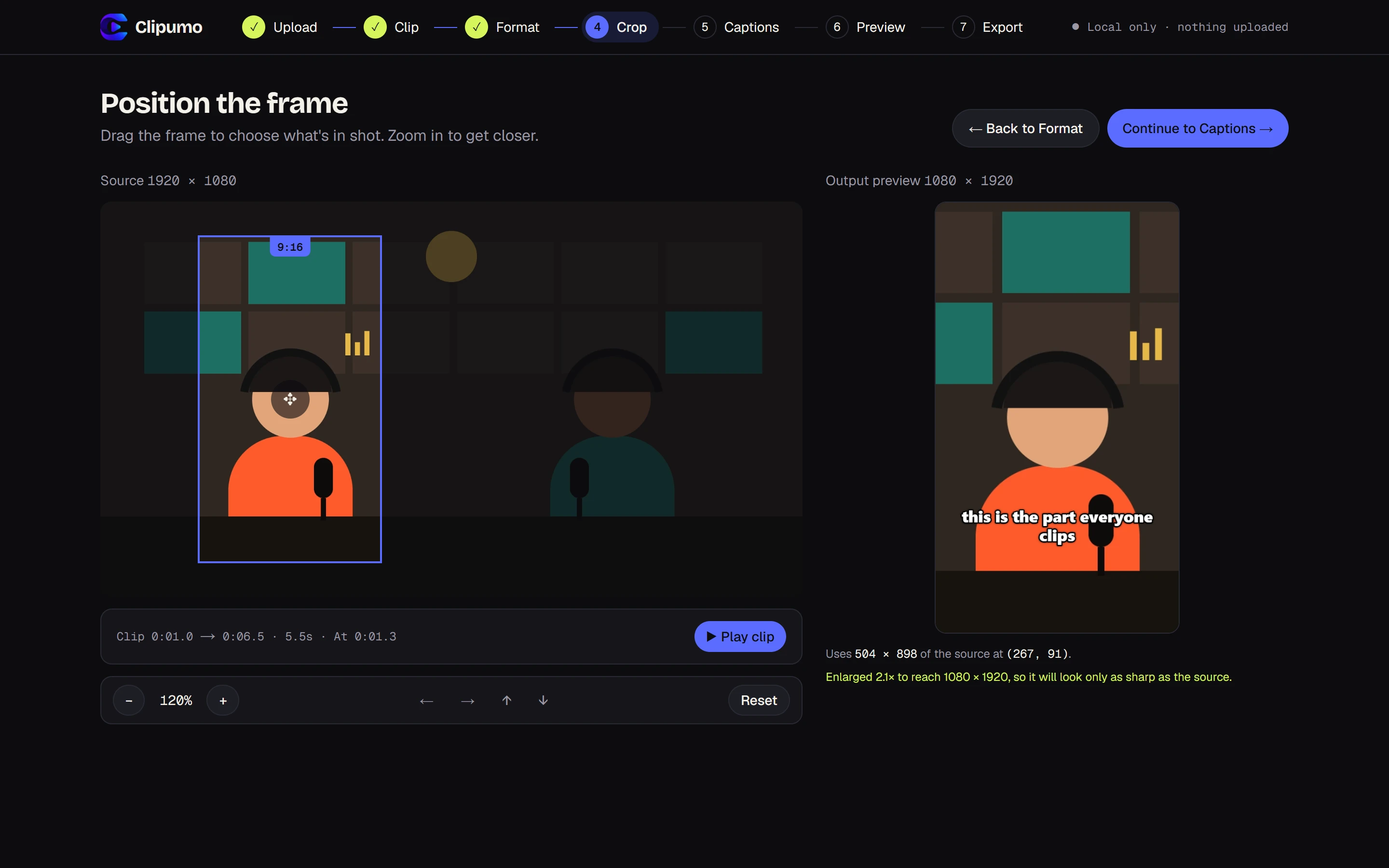
How to make a Short with Clipumo
- 1Open your video. Drag it onto the editor or choose it from your computer. It's read straight from your disk.
- 2Pick the moment. Drag the in and out handles on the timeline, or play the video and press “Set to playhead”.
- 3Choose 9:16. The output is 1080 × 1920, the standard vertical HD size.
- 4Frame the subject. Drag the vertical frame onto the person or action, and zoom in if they're small in the shot.
- 5Add captions, or skip. Import an SRT/VTT file, type them yourself, or leave them off.
- 6Preview and export. Watch the exact result, then download the MP4.
What makes a Short work
- Start on the hook. Set the in-point right where the interesting line begins, not on the lead-in.
- One idea per Short. If a moment needs a long setup, it's probably two Shorts.
- Keep the face in frame. Zoom in so the speaker fills the vertical frame instead of floating in the middle.
- Caption it. Many people scroll with the sound off, so burned-in captions keep them watching.
- End on a strong line. A clean ending makes the loop feel intentional.
Export settings
Clipumo exports 1080 × 1920 H.264 video with AAC audio: a standard MP4 that YouTube accepts directly. Only the part you selected is exported, with no watermark.
Check YouTube's current length limit for Shorts before you post. Most Shorts that perform well are far shorter than the limit anyway.
Questions
Will my Short have a watermark?
No. Clipumo never adds a watermark or logo to your video.
What size should a YouTube Short be?
Vertical 9:16. 1080 × 1920 is the standard HD size, and it's exactly what Clipumo exports when you choose 9:16.
Can I use a video that's already vertical?
Yes. A 9:16 source fills the whole frame, so you only need to trim it and, optionally, add captions.
Do I need to install anything?
No. Clipumo runs in your browser. For exporting, use a recent version of Chrome or Edge on a computer.