 Clipumo
Vertical video converter
Crop video to 9:16 online
9:16 is the vertical shape of a phone screen: the format used by Shorts, Reels, TikTok and Stories. Clipumo converts horizontal video to 9:16 by cropping a vertical window that you control, then exports a 1080 × 1920 MP4.
No upload and no account. The conversion runs entirely in your browser.
16:9 vs 9:16, in pixels
A standard landscape video is 16:9, for example 1920 × 1080. A vertical 9:16 crop that uses the full height of that frame is about 608 × 1080 pixels, a bit less than a third of its width. Clipumo scales that window to the 1080 × 1920 output.
From a 4K source (3840 × 2160) the same crop is about 1214 × 2160 pixels, so the vertical result is noticeably sharper.
How to convert a video to 9:16
- 1Open your video. Drag it onto the editor or choose it from your computer. It's read straight from your disk.
- 2Pick the moment. Drag the in and out handles on the timeline, or play the video and press “Set to playhead”.
- 3Choose 9:16. The output is 1080 × 1920, the standard vertical HD size.
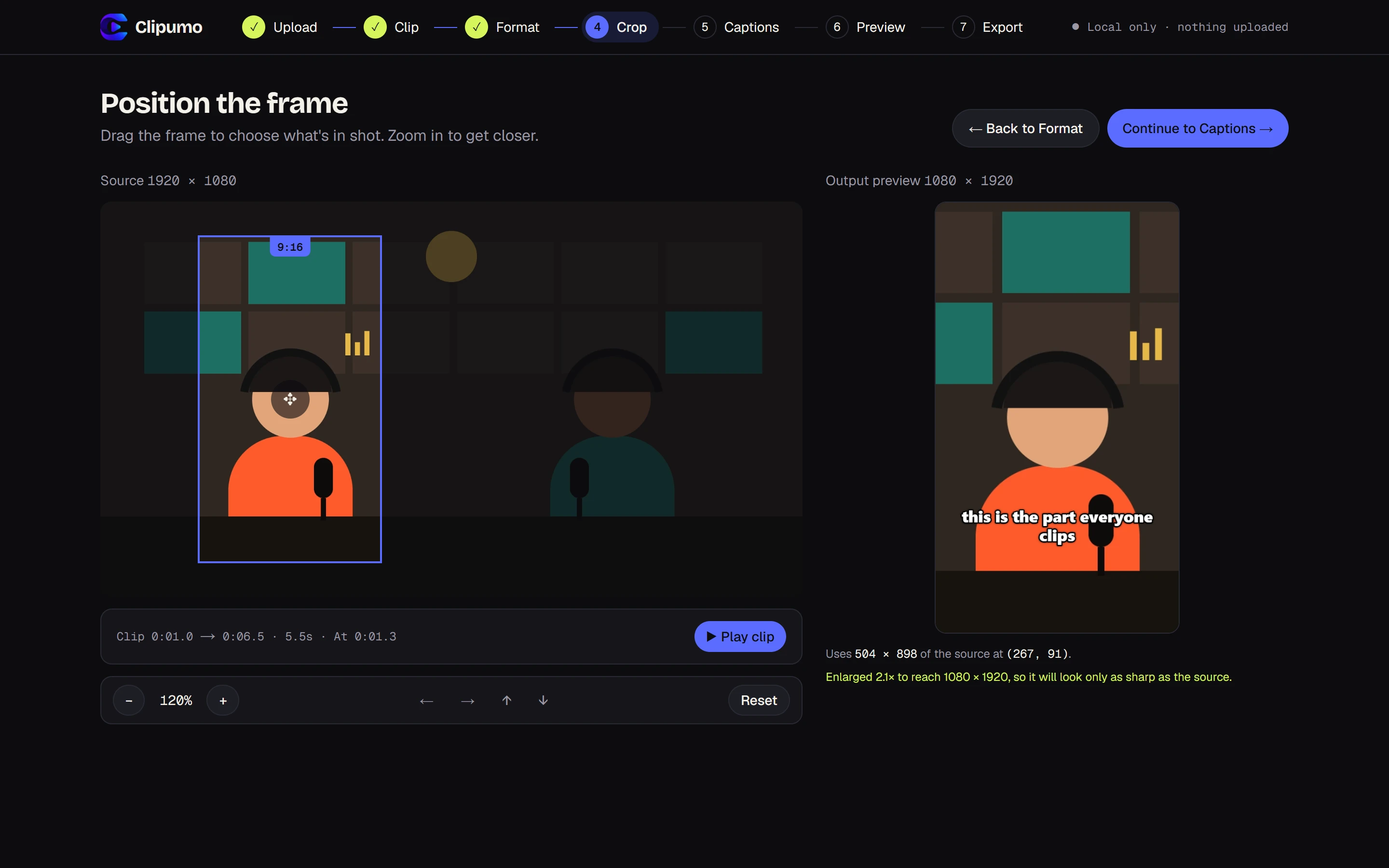
- 4Frame the subject. Drag the vertical frame onto the person or action, and zoom in if they're small in the shot.
- 5Add captions, or skip. Import an SRT/VTT file, type them yourself, or leave them off.
- 6Preview and export. Watch the exact result, then download the MP4.
Other formats
The same editor also exports 1:1 (1080 × 1080) for square feed posts and 16:9 (1920 × 1080) for widescreen. Switching format resets the crop to the best centered position for the new shape.
Questions
Can I choose which part of the video to keep?
Yes. Drag the vertical frame anywhere in the video and zoom in up to 400% on large sources. The crop can never extend outside the video, so there are no black bars.
Is the audio kept?
Yes. The clip's audio is included in the MP4 when your source has sound.
Which files can I convert?
MP4, MOV, M4V, WebM, MKV and OGV files up to 1.5 GB that your browser can play.