 Clipumo
Private video trimmer
Trim a video without uploading it
Most online video cutters make you upload your file first, which is slow for big videos and not great for unreleased or private footage. Clipumo reads the video directly from your computer and does all the work in your browser.
Trim to the exact moment, choose the output shape and download an MP4.
Why “no upload” matters
- Faster: there's no waiting for a multi-gigabyte upload before you can start.
- Private: client work, unreleased episodes and personal footage stay on your machine.
- Simple: no account, no project storage, nothing to delete afterwards.
How trimming works
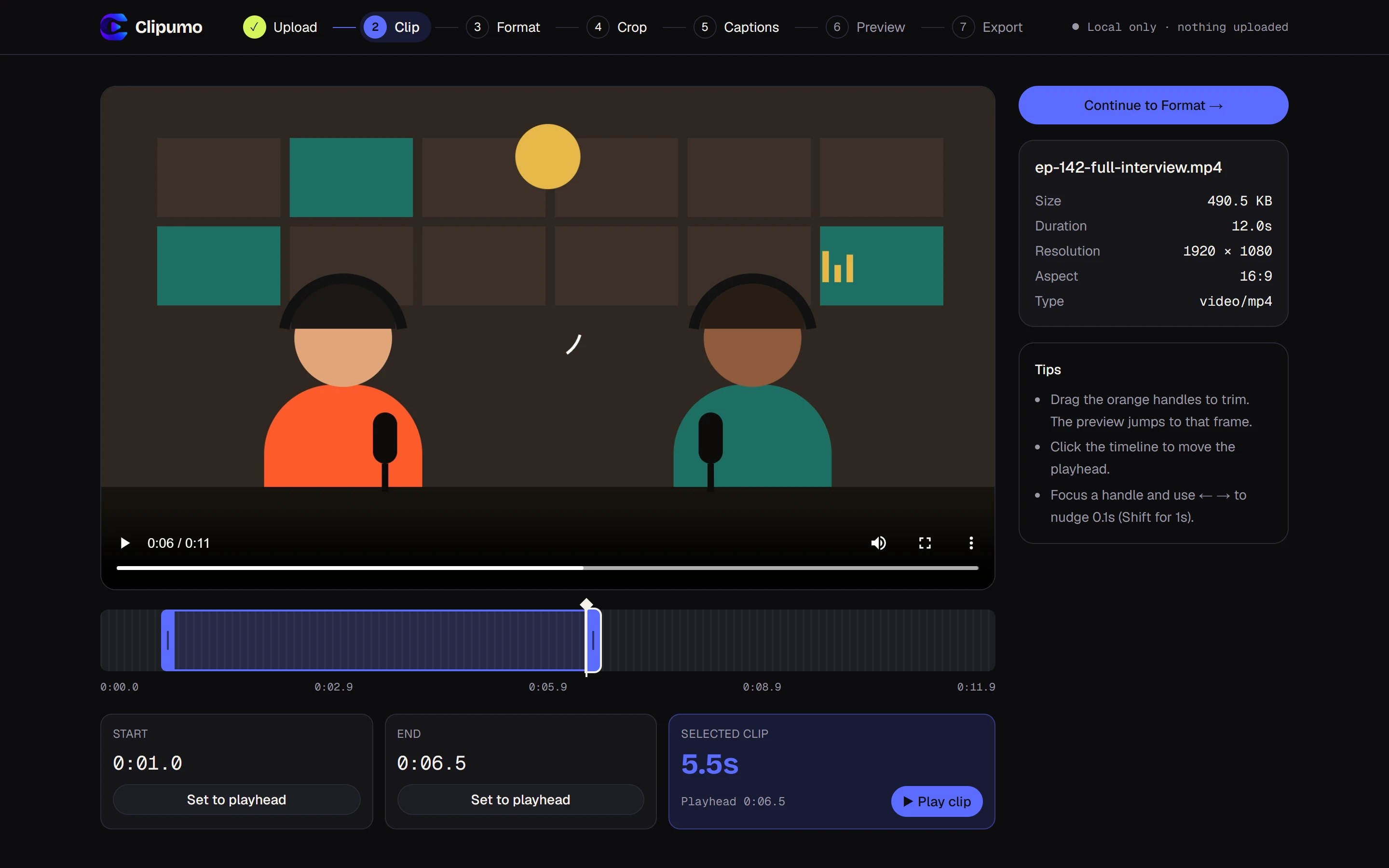
- Drag the orange handles on the timeline. The preview jumps to the exact frame you're cutting on.
- Or play the video and press “Set to playhead” to mark the start and end.
- Fine-tune with the keyboard: arrow keys move a handle by 0.1 seconds, Shift + arrow by 1 second.
- Press “Play clip” to watch just the selection before you continue.
What you get
An MP4 of just your selection, in 9:16, 1:1 or 16:9 at full HD. For a landscape video, choose 16:9 to keep the whole frame.
Questions
Is my video really not uploaded?
Yes. The page loads the editor, then your browser reads the video directly from your disk. There's no upload step and no server that receives your video.
What's the maximum file size?
1.5 GB. Supported formats are MP4, MOV, M4V, WebM, MKV and OGV, whichever your browser can play.
Which browser should I use?
Editing works in modern browsers. Exporting needs a recent Chrome or Edge on a computer.